


AlfredCamera Home Security app
4.767.16K Reviews
App Specs
- Version
- 2026.13.1
- Updated On
- License
- Free
- Downloads
- 50,000,000+
- Developer
- Alfred Systems Inc.
- Categories
- House & Home
- Platform
- Android, iOS
Screenshots
 Analysis by AppCompare
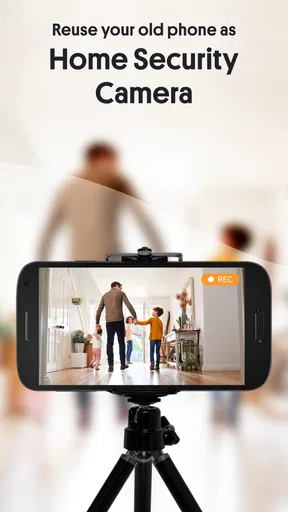
Ever wondered if you could turn your old smartphone into a nifty security camera? Well, that’s exactly what the AlfredCamera Home Security app is here for. I recently gave this app a whirl, and I’ve got some thoughts to share. Let’s dive into it!
Setting Up and First Impressions
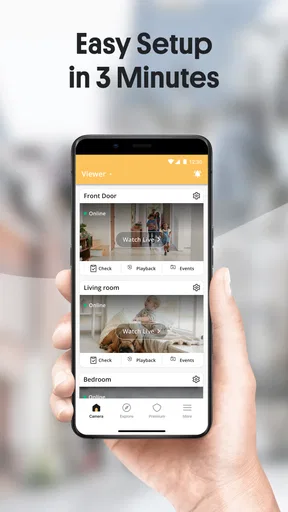
Getting started with AlfredCamera Home Security is a breeze. All you need are two smartphones—one to serve as the camera and the other as the viewer. The setup process is as straightforward as it gets. Just download the app on both devices, sign in with the same account, and you’re good to go. In no time, you’ll have a live feed streaming from your makeshift security camera.
The user interface is quite intuitive. Even if you’re not exactly a tech wizard, you’ll find your way around easily. I was up and running in less than 10 minutes. The app also offers a handy guide to help you position your phone-turned-camera for optimal coverage.
Features That Stand Out
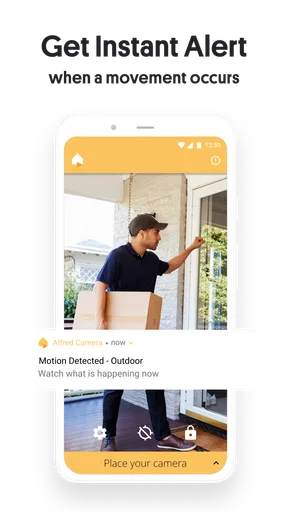
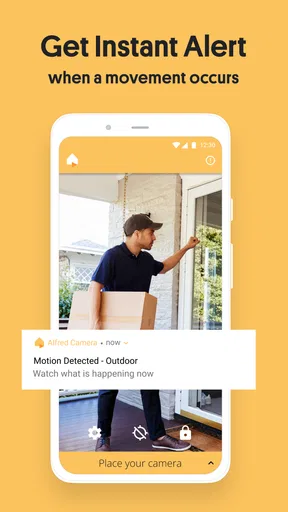
One feature that caught my eye is the motion detection. The app sends you an alert whenever it detects movement, making it perfect for keeping an eye on your home when you’re not around. It’s almost like having a mini surveillance system without the hefty price tag.
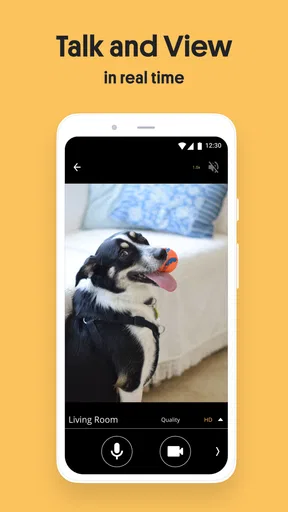
Another cool feature is the two-way audio. This means you can not only see what’s happening but also communicate through the app. Whether you’re checking in on your pets or scaring off unwanted visitors, this feature adds an extra layer of security.
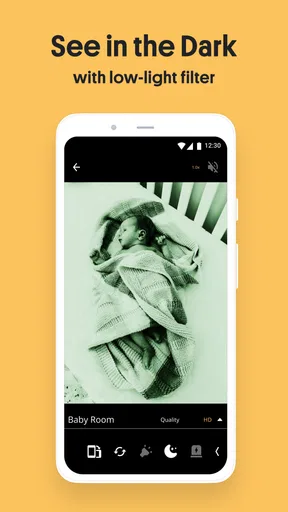
The night vision functionality is also impressive. It ensures that the camera captures clear footage even in low-light conditions. This is crucial if you’re using the app for nighttime monitoring.
Performance and Reliability
Now, onto the performance. The video quality is surprisingly good, especially considering it’s streaming from an old phone. However, the quality can vary depending on your internet connection. During my testing, I noticed a few hiccups like delayed alerts, but nothing too serious. Just make sure your devices are connected to a strong Wi-Fi network to minimize these issues.
Worth Reading Before You Choose

Baby Panda World Brings Quick Play to Modern Phones, but Its Game Library Feels Busy

ESPN’s Live Game View Makes Following Close Games Easier

QuizzLand Review: A Good Fit for Short Trivia Breaks, Not Every Player

Basketball Stars: Multiplayer Is Fast, but Can It Recover When Matches Go Wrong?

WEBTOON Turns Phone Updates Into a Better Reading Routine

Link to Windows Runs on Shared Habits, Not Social Feeds
The app is fairly light on resources, which means it won't drain your smartphone’s battery too quickly. But it’s still a good idea to keep your camera phone plugged in if you’re planning to use it for extended periods.
Final Thoughts
Overall, AlfredCamera Home Security is a fantastic solution for anyone looking to add an extra layer of security to their home without breaking the bank. It’s easy to use, offers a variety of useful features, and repurposes old devices in a truly ingenious way. While there are minor hiccups here and there, the benefits far outweigh them.
If you’ve got a couple of spare phones lying around, why not give this app a shot? You might just find it’s the perfect addition to your home security setup.
Pros
- Easy setup and user-friendly interface.
- High-quality video with clear night vision.
- Two-way audio for real-time communication.
- Motion detection alerts are reliable.
- Supports multiple devices and platforms.
Cons
- Requires stable internet connection.
- Free version lacks some advanced features.
- Battery drain on mobile devices.
- Occasional false motion alerts.
- Limited cloud storage in free tier.
FAQs for AlfredCamera Home Security app
What features does AlfredCamera offer for home security?
AlfredCamera provides a comprehensive suite of features designed for home security, including live video streaming, motion detection alerts, and two-way audio. Users can also enjoy night vision capabilities and cloud storage for recorded footage. The app transforms your old smartphone into a security camera, making it a cost-effective solution for monitoring your home.
Is AlfredCamera compatible with both Android and iOS devices?
Yes, AlfredCamera is compatible with both Android and iOS devices. Users can easily download the app from the Google Play Store or Apple App Store. The app supports a wide range of devices, ensuring you can repurpose your old smartphones as surveillance cameras across different platforms.
How reliable is the motion detection feature in AlfredCamera?
AlfredCamera's motion detection is highly reliable, allowing users to receive instant alerts whenever movement is detected. The sensitivity of the motion detection can be adjusted to suit your needs, reducing the likelihood of false alarms. This feature ensures that you are promptly notified of any unusual activity in your monitored area.
Does AlfredCamera require a subscription for full access to its features?
While AlfredCamera offers many features for free, subscribing to Alfred Premium unlocks additional benefits such as HD viewing, ad removal, and extended cloud storage. The subscription is optional, allowing users to choose based on their security needs and budget. Free users still enjoy essential features like live streaming and motion alerts.
How secure is the data and footage stored on AlfredCamera?
AlfredCamera prioritizes user privacy and security by employing encryption protocols to safeguard your data. Recorded footage is stored securely in the cloud, ensuring that your videos are protected from unauthorized access. Users can also manage and delete stored videos as needed, providing control over their personal information.


